


Why Image-Only Emails Fail
Avoid using a flyer or graphic as the entire body of an email. While visuals can be eye-catching, image-only emails often create a poor experience for subscribers and can reduce the effectiveness of your message. As a general guideline, aim for approximately 60% live text and 40% images in your email, while ensuring that the most important information and calls to action appear as live text, and not in a graphic.
- Deliverability: Spam filters cannot easily read text embedded in images, which may affect deliverability or cause an email to be flagged.
- Blocked Images: Some email clients block images by default, meaning recipients may see a blank space instead of your message.
- Accessibility: Screen readers cannot reliably read text embedded within a graphic, making image-only emails inaccessible to many subscribers.
- Searchability: Recipients cannot search for keywords or phrases contained within an image.
- Mobile Experience: A flyer designed for one screen size may not resize or display well across different devices.
Instead, create your email directly in Constant Contact using live text, images and clear calls-to-action. AI can be a helpful tool for brainstorming content, refining copy, suggesting layouts or creating an engaging header image—but it should support your email creation process, not replace the entire email. A well-built email is more accessible, readable and effective across devices.
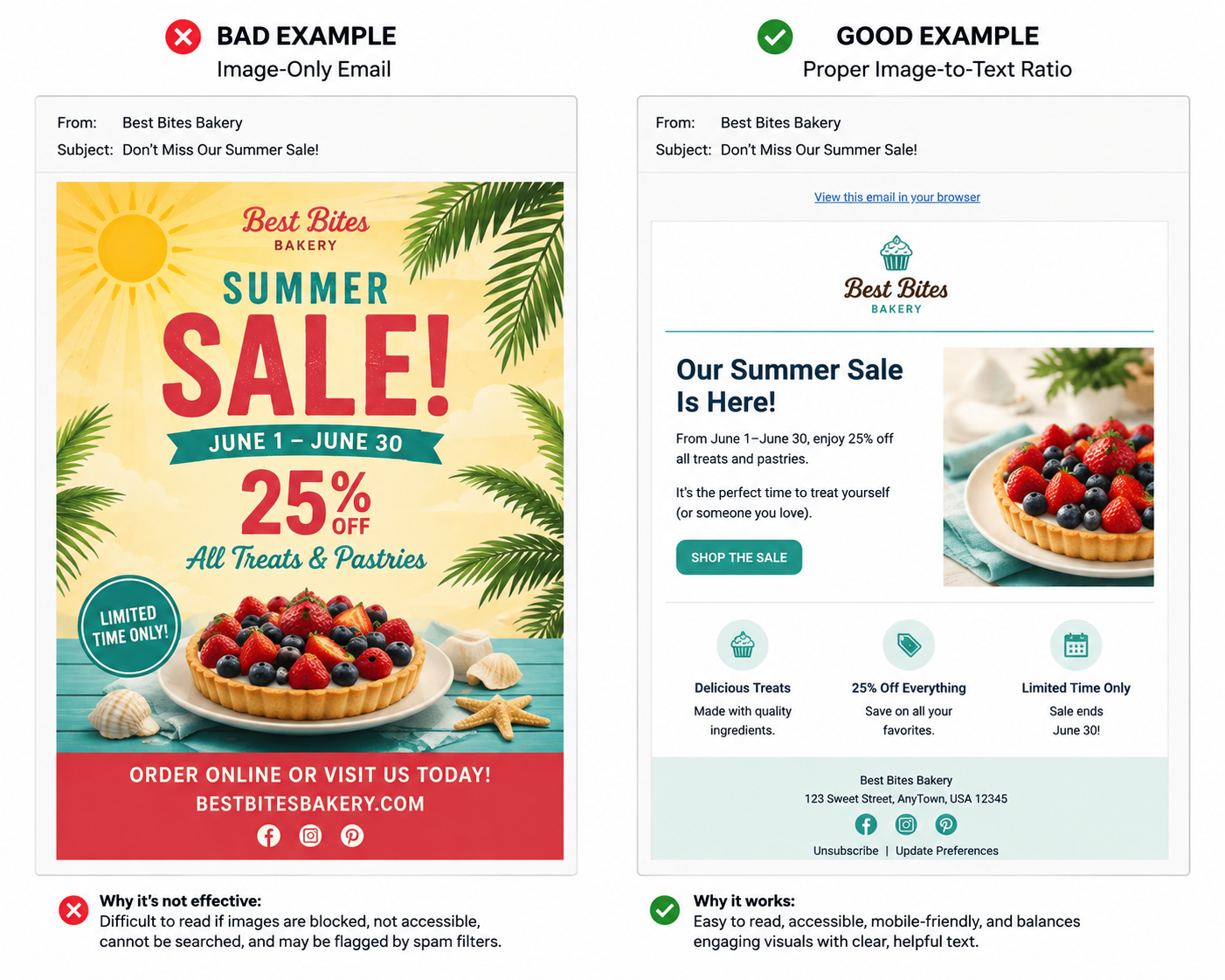
Live text delivers the message.
Images enhance the message.
A strong email uses both.
There are editable templates within Constant Contact you can utilize. To find these templates:
- Login to Constant Contact
- Click on the Campaigns tab on the horizontal menu
- Select the Create button in the upper right
- Choose Email
- Find the SCORE templates tab
- Select the template you'd like to utilize and begin editing
Have a question? Email [email protected].

