


Connect Your @Scorevolunteer.org Account using Gmail App

Feb 18, 2026
 0
0
- Download the Gmail App from App Store (iPhone/iPad); update Gmail app (Android)
Android
iPhone - Open the Gmail app
.
- Click Sign In and select + Add Account
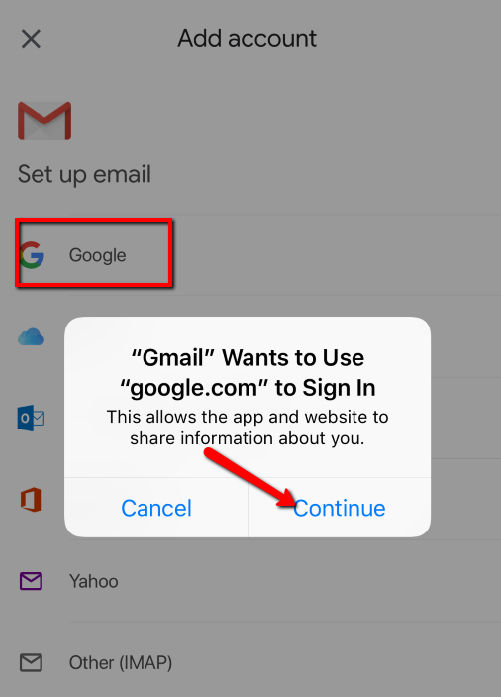
- Select Google under Set up email
- Click Continue on the pop-up window.
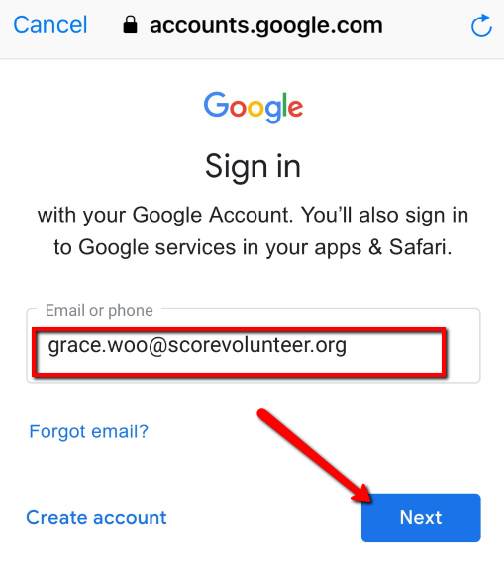
- Enter your @scorevolunteer.org email address as the username, click Next.
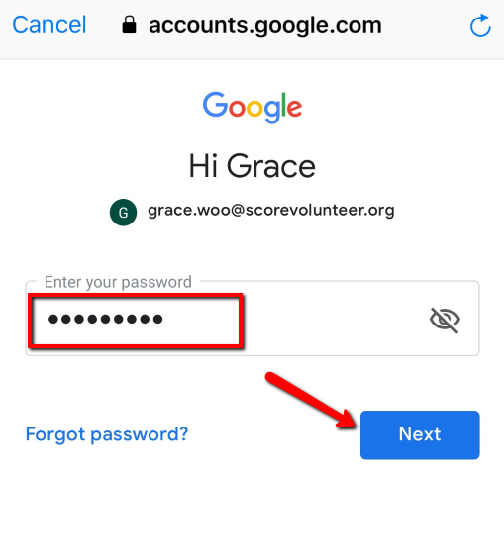
- Enter your @scorevolunteer.org email password, click Next.
- Your SCORE Email Account is now set up.

