Connect Your @scorevolunteer.org Account to Mac Mail

Last updated: Feb 18, 2026
421
views

Enable Less Secure Apps (Required)
Click this link myaccount.google.com/lesssecureapps and select "ON" to enable less secure apps while in Gmail.

Next Steps
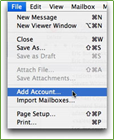
- Open Mail and select File.
- If you have the latest OS, then please refer to this guide
- Click Add Account.
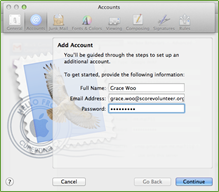
- In the Add Account window, enter your Full Name, org Email Address, and Password.
- Click Continue.
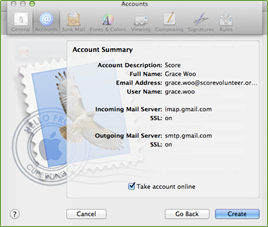
- If a valid and correct Email Address and Password was entered, Mac Mail should automatically set up the account and you will be taken the summary page.
- Check Take Account Online and click Create.