

Change Scorevolunteer.org Email Account Password

Last updated: Feb 18, 2026
516
views

- Login to your Google Account at https://myaccount.google.com.
- Enter your Scorevolunteer.org email and password on the fields provided.
- Click Security from the left panel, select 'Password' (it will require you to enter your username and password again).
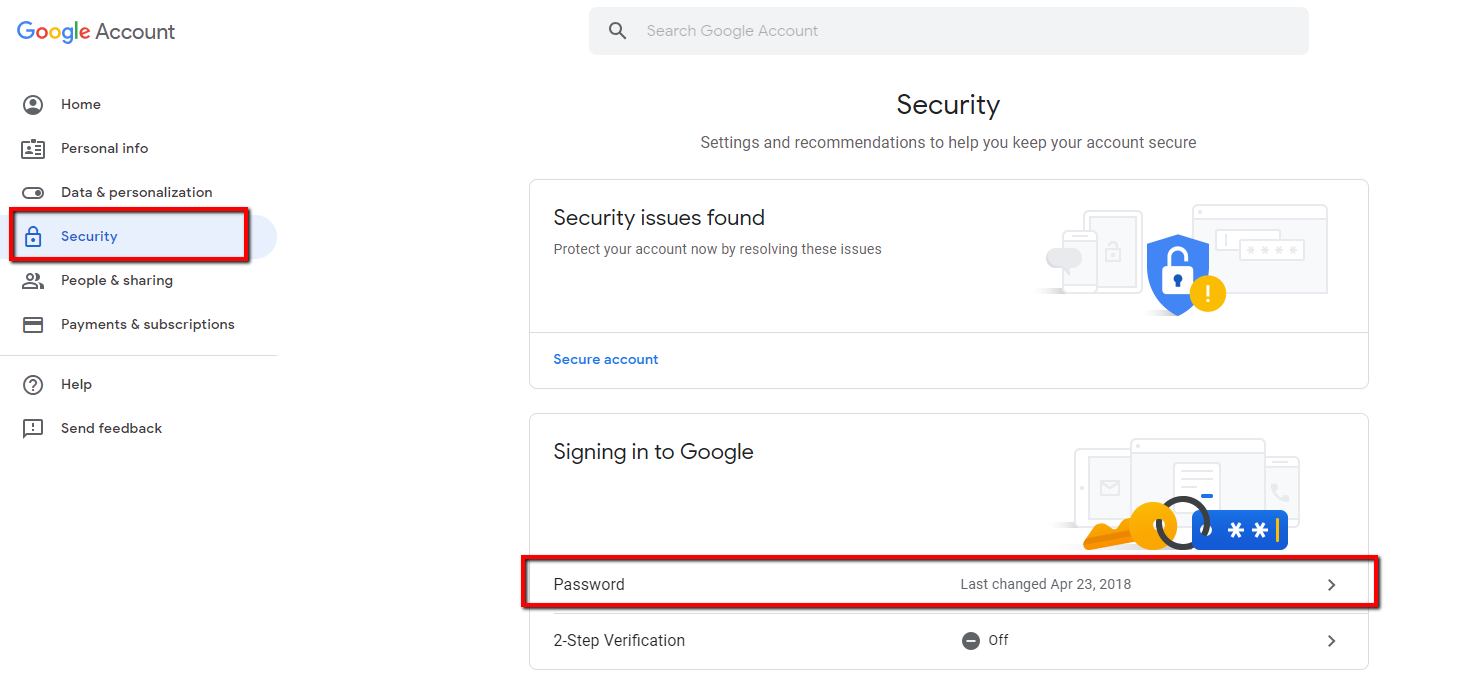
- Log in with your scorevolunteer.org email and current password
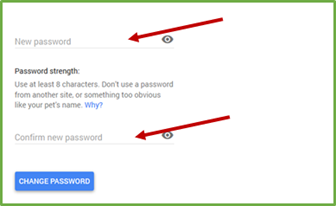
- Enter your desired password on the 'New password' and 'Confirm new password' fields. Then, click Change Password to submit the change.
How to Reconnect Your Email to CORE
If you are an email mentor, your password must be updated in the email mentoring system as well so you are able to access your email inbox through the system

Please follow steps: How to Connect your @scorevolunteer.org Email to CORE to update with the newly created password associated with your scorevolunteer.org

