0
0
Constant Contact and SCORE hosted a one-hour webinar to share tips on running a great virtual event. More specifically, you’ll learn:
· Preparing for your virtual event
· Using Constant Contact's Email Templates to invite your audience
· How Constant Contact and ENGAGE will work together to maximize your event success.
· Tips to successfully running your event
· How to follow-up after your event
Meeting Recording (9/10/20):
https://score.zoom.us/rec/share/QROdeDzg9XLCDtejL7giSY2pPTsTFsbfo94GLCqMuscRRnGBoICvsq2vcdFW0GIw.wRBTUuOCW88x6FWj
Follow-up Q&A
|
Question The landing page in the Event tool is extremely outdated but it is linked to our individual SCORE webpages. Could the new landing page tools be linked to our webpages. |
Answer When chapters migrate to Engage they will be connected to the Engage event tool. The Constant Contact event tool has been sunsetted and is no longer receiving developments. |
| Can templates in MS Word or WIX be pasted into a new Constant Contact template and then modify there? | No - the Constant Contact template is a what you see is what you get (WYSIWYG) editor. The templates must be created directly in the system. This helps with mobile optimization and so that you do not have to worry about coding the online email template. |
| After we send our original email invite to the event how many follow up emails do you suggest that we send? | It will depend on how far out you are promoting the event, but we definitely recommend a follow-up email the week before, and the day before. This is generally when most people register for events. |
| Is it possible to text registrants from CC or ENGAGE the day of the webinar to improve the % of attendees? | Clients may sign up for text reminders when they register for events through Engage. |
| can you create different follow-up surveys such as one for attendees and one for registrants who did not attend? | Yes absolutely. We recommend you segment the list and create 2 separate surveys like that. |
| Our click rate is not great. How many links work best within an email? Do less links = better click rate? | Keep the number of links in any email under five. Two or three is best. This includes any links on images or social links. Focus your links on what will bring you the most value – don't link to tangential things that take people off-track. |
| Constant contact allows you to ask specific registration questions. Does engage allow for this also |
There are a few fields available for you when setting up events in Engage. Information on creating and modifying Engage events can be found here: https://help.score.org/hc/en-us/articles/360041191914-How-to-Create-an-Event |
| Not on ENGAGE, yet. Who may I contact to receive guidance on creating an invitation / registration. | The Constant Contact support center has lots of great guides and video tutorials to help you: https://community.constantcontact.com/t5/Help-Center/ct-p/help-center. Here is the SCORE and Constant Contact partner portal Jenna discussed as well: https://go.constantcontact.com/partners/score |
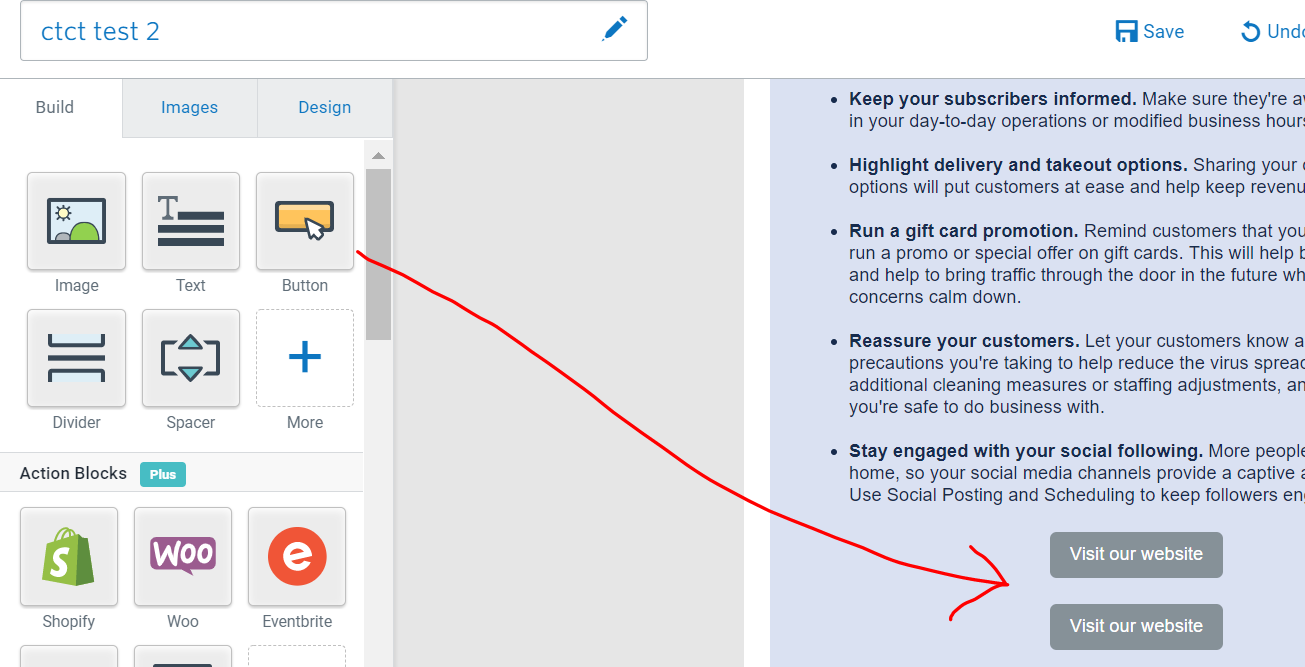
| How do post 2 buttons side by side without the 2 columns? I’m advertising a local pitch competition and expo, so there are 2 buttons, one for submitting app and one for registering. | Just click and drag the button to the email template. It won't show up side by side due to space constraints for email templates, but you can add 2 buttons and space them as you need within a column. See the image below. |