


How to Export Data from BIRT Reports

Feb 12, 2026
 0
0
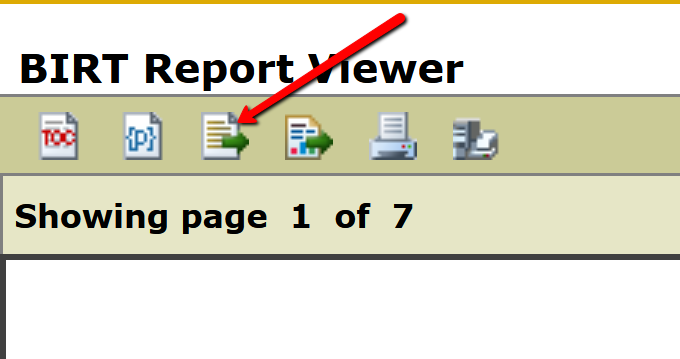
1. Once you run the report and are ready to export it, click on the third icon from the left at the top of the screen.
2. Choose the last element (Custom Report) in the Available Results Set drop-down menu, then click the double arrows (>>) to export all fields or use the single arrows (>) to select only certain fields to export. Then click OK to export to a spreadsheet.
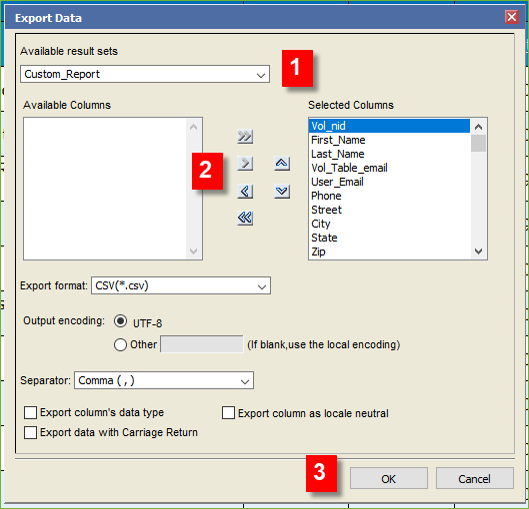
3. Click OK. The report is then downloaded to your computer as a CSV file. Open the file in Excel and save as an Excel spreadsheet.

