0
0
The Why: Consistency in use of fields in the Engage Event record supports effective management of the client experience, event quality, and likelihood of selection for region-wide distribution and marketing.
~30% of score.org LiveChat visitors have an issue with a chapter event or webinar
- I can’t get into the event; I don’t have the zoom entry link
- Where is the recording?
- Where are the slides?; ...the checklist?....the template mentioned by the presenter?
- I have a question about the event - who do I contact?
- I thought that all the Score mentors and event registrations were free? Just want to make sure that is what the policy or rules are.
- etc…..
The How: To best understand the following Engage Event field usage guidelines, we recommend first taking
- Basic Event Management training on-demand recordings
- followed by one of the monthly Event Management Mastery live events
SCORE Event DRAFT Status: Minimum Field Standard[s]
| Draft Event Field | Standard | Reason |
|---|---|---|
| Event Name | Preface Name with the event date in format mm-dd-yy | Used for content management of recorded version[s]; Client Experience; schedule conflict management |
| Start Time / End Time | Mandatory fields; ensure consistent with Event Name mm-dd-yy above | Used for scheduling / conflict management |
| Short Description | Avoid acronyms, eg “CPL”, “CTA”, “AOPD” | SCORE brand guide & displayed in Registration |
| Description / HTML |
|
Best Practice Client Experience Maximize chapter service credits Maximize effective event yield: live_attendees+recorded_views |
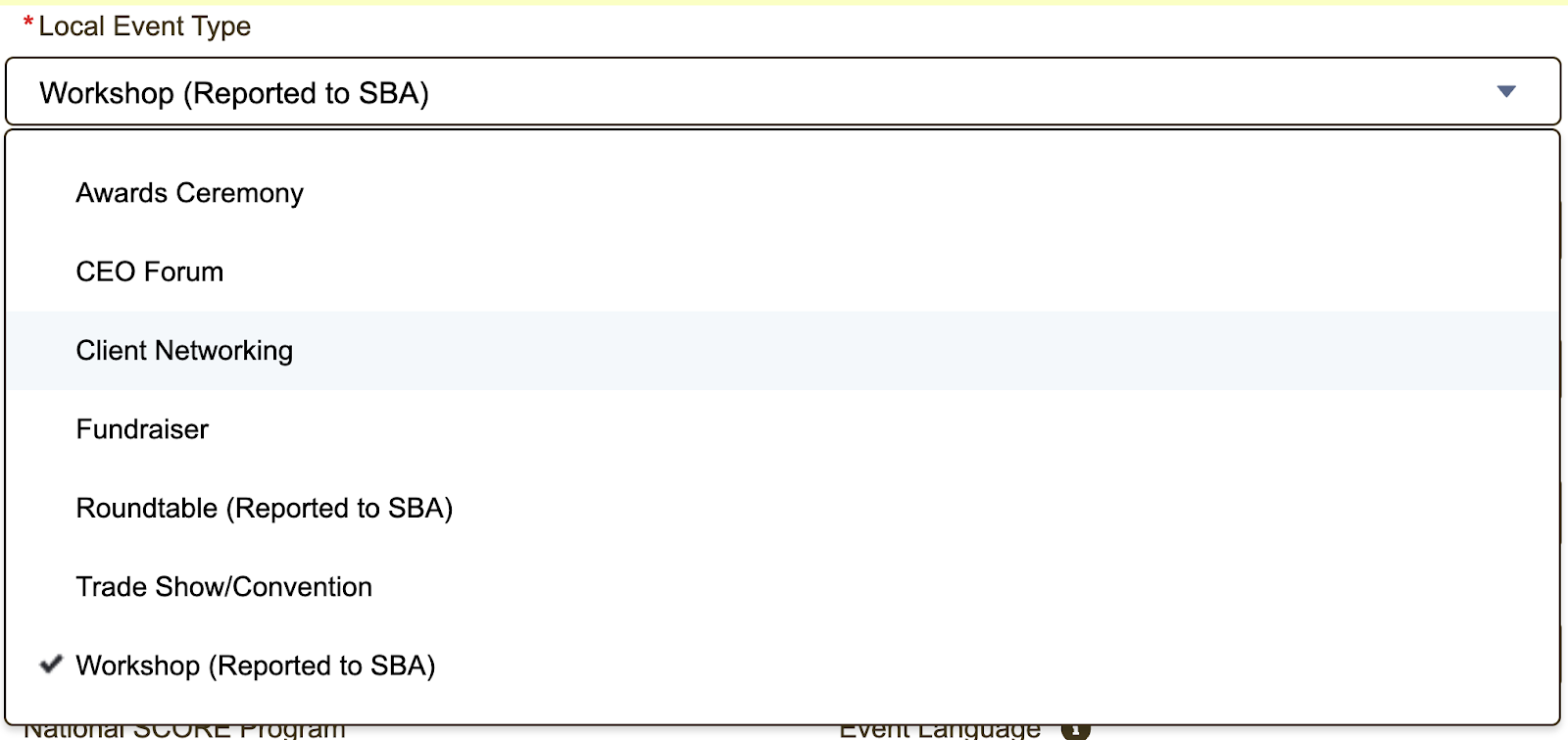
| Local Event Type |
Ensure accuracy & consistency See Engage picklist below Exhibits |
Roundtables / Networking / Forums / Awards Event Types are assumed to be Local Events |
| Training Topic & Business Stage | Check at least one of each consistent with Event Description | Region-wide topic planning |
| Entrepreneur Type & Industry |
|
Region-wide topic planning |
| Resource Partner | [defaults to SCORE] | |
| Using Federal Funds? | No, if the topic is about Non-Profits | SBA Compliance |
| Location Information / Address |
|
|
| Event Contact Name |
Name of a chapter person [do not leave blank] [33% YTD Events have no Contact Name] |
Used by Region Committee / Admin if any questions about your chapter event; [also appears on Registration form if Clients have questions] |
| Sponsor |
|
Sponsored events are assumed to be Local Events |
| Co-Sponsor | Leave blank | Used by Region Committee & Admin to indicate Region or District Events |
| Fee | Yes / No | Fee events remain Local Events |
For Publish Status: Minimum Field Standards
[responsibility of the originating chapter]
| Publish Field | Standard | Reason |
|---|---|---|
| Image |
Use relevant & licensed image from SCORE / Ecropolis library [28% of YTD Events had no Image] |
Marketing; Brand standards; avoid Copyright Infringement; also used for CtCt campaigns |
| Survey Timing |
1 Hour After Event [Note: sent after Event marked Completed] |
Best Practice; NPS Survey now mandatory for Quality feedback |
| Display Event Contact Fields on Registration? |
Best Practice: click it On [Only 22% of YTD Events have this On] |
Client Experience & Customer Support |
| Contact Phone |
Local Chapter # or National 800-634-0245 [46% YTD events - no phone contact info] |
Client Experience; National Support Center; reduce local chapter admin burden; LiveChat support |
| Contact Email |
Local Chapter email or National [email protected] [31% YTD events - no email contact info] |
Client Experience; National Support Center; reduce local chapter admin burden; LiveChat support |
| Webinar Join URL |
For zoom events - populated when EM clicks Create ZOOM Event* [88% YTD events - had no join link] |
Used by LiveChat & National Support Center to help clients attend the event |
|
“Non-SCORE Workshop Presenter” [hack to also include SCORE presenters] |
Names of [all] Presenter[s], Host, & Panelists [83% of YTD events - blank] |
Best Practice; Used by Region Admin to setup zoom event invites; cross-check with Presenters; and for post-event closed-loop quality reviews; also see ZOOM Best Practices below |
| Add [Volunteer] Workshop Presenter[s] to the Engage Event Record | Reuse for follow-on events; Ensures compliance with SCORE Presenter guidelines; Credits the Volunteer Presenter |
|
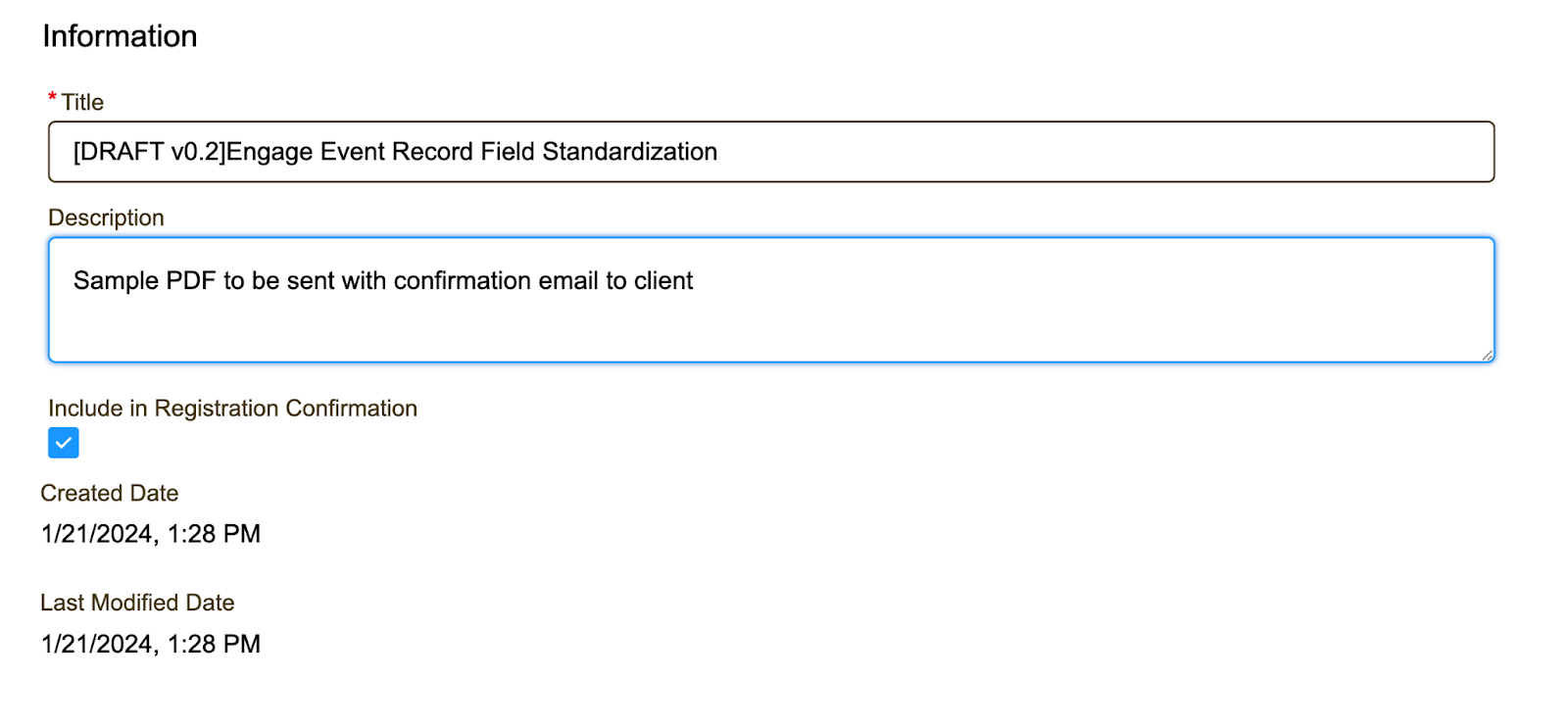
| Add Files to Engage Event Record |
Presentation Deck & any Handouts [preferably PDF format]
[Optionally, can specify they be sent as links in the client confirmation email] |
|
| * Quality Check | Click the Walk Me icon in Engage | Performs a Quality Check |
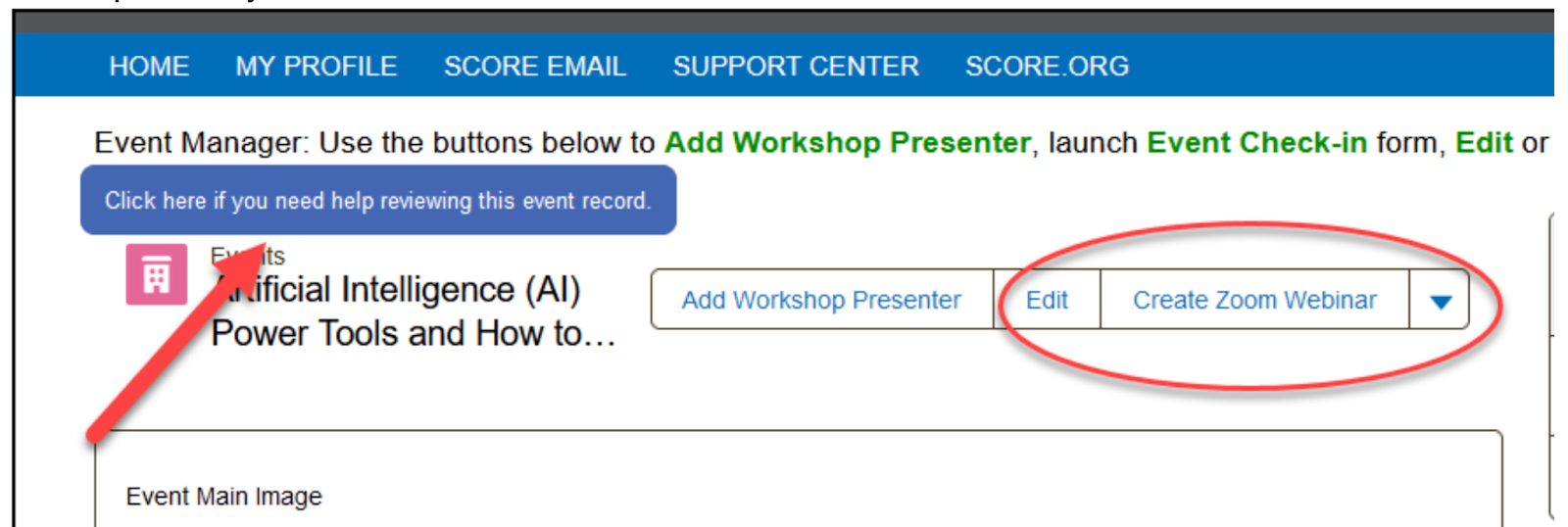
Engage “Walk Me” Quality Check
For the Related ZOOM Event: Best Practices
| Zoom Field | Best Practices | Reason |
|---|---|---|
| For Workshop Presenters [WP] & Hosts |
|
WP’s & Hosts will receive email notices from Zoom confirming/reminding date & time |
| Recording Events | Use Zoom’s LIvestream to YouTube feature | Automatic recording / archiving to YouTube for later use when converting Event to a Recorded Event listing on score.org |
Additional Help Center Resources:
- Workshop Presenter
- Event Resources / Files
SCORE Workshop Presenter Guideline Document
How Report Partner Events Without Attendee List
Exhibits
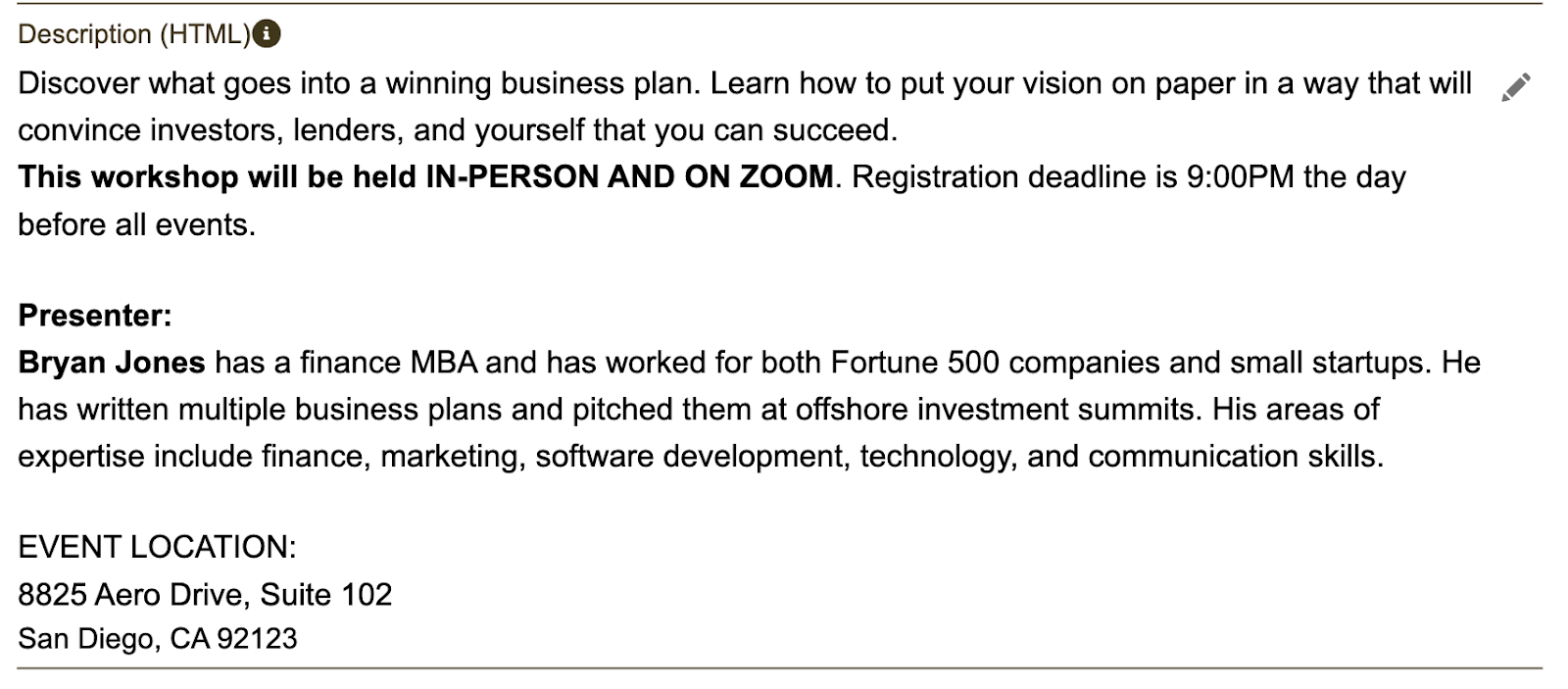
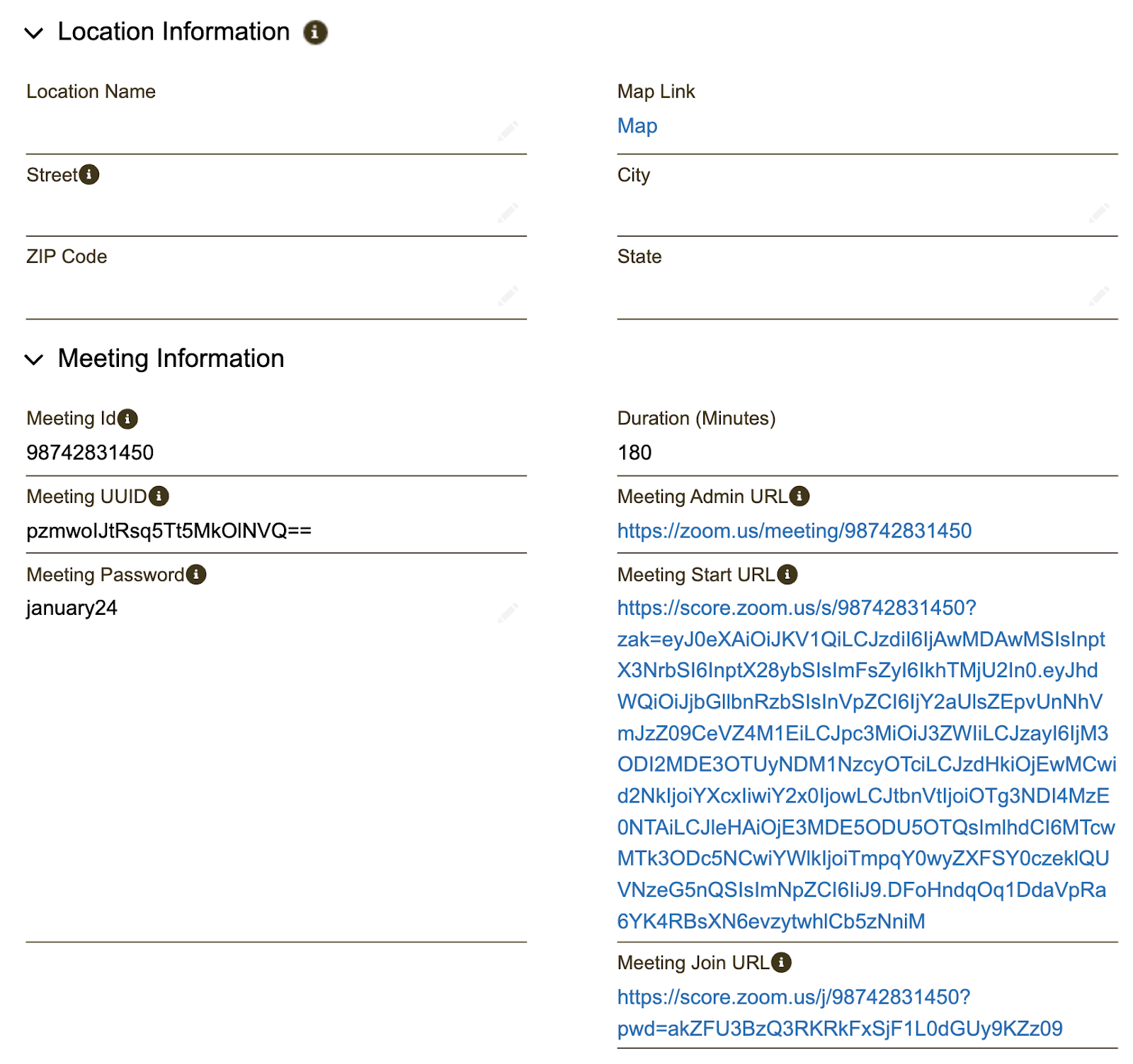
Example of a Hybrid Event [San Diego]
- Set up as a Zoom event, location field blank, but
- In-Person location & ZOOM clearly specified in Event Description [HTML] field
https://scoreengage.my.site.com/s/event/a10Vt0000001CgfIAE/how-to-write-a-business-plan